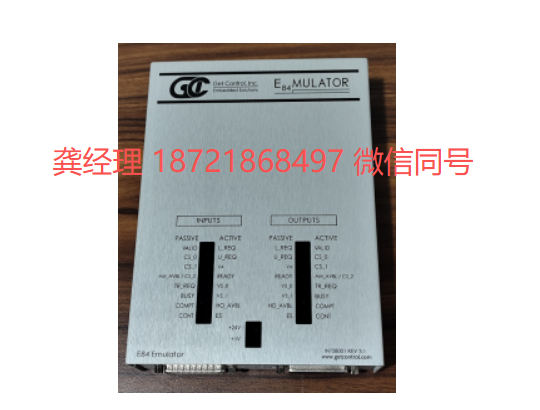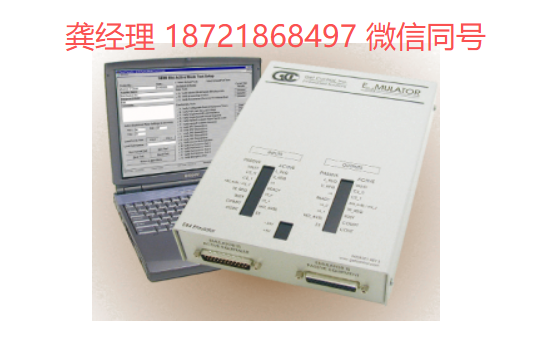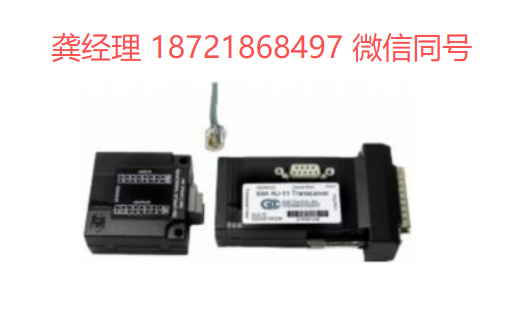
美国GCI E84手持测试仪独立式手持模拟器GET CONTROL E84 HHT
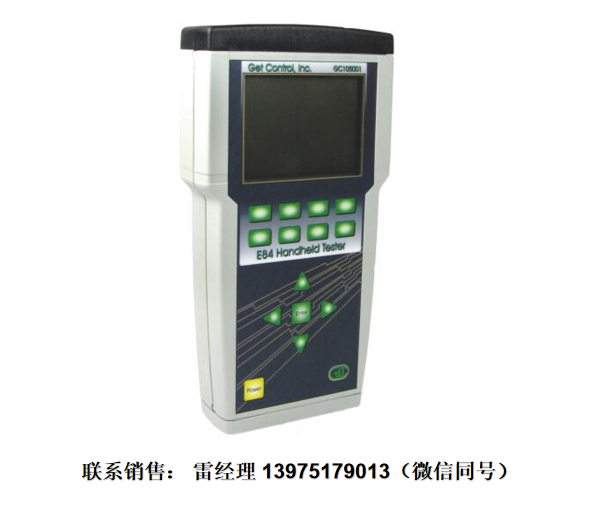
E84 手持式测试仪(E84 HHT)是用于快速检测、排除故障和解决与 E84 相关问题的最有效工具。这款设备为独立式、电池供电式设备,内置了 E84 仿真器所具备的先进自动加载/卸载功能。它还具备多项行业首创功能,有助于快速找到解决 E84 相关问题的方法。
每个 E84 信号的电压和电流测量值
自动光收发器测试
利用 GCI E84 DLD 和 RJ-11 光收发器,实现 E84 通信的实时显示。
GCI 的 E84 HHT 是一款便携式设备,专门用于 E84 相关设备的维护、故障排除和安装工作。它集成了多种功能:能够实时显示信号参数、测量电压和电流值,同时还能存储测试结果。只需使用这款设备,就能快速解决与 E84 接口相关的问题。
该设备的 SD 卡接口使得测试结果可以被保存下来,并传输到电脑上进行进一步分析。这一接口有助于更好地管理测试结果的存储,同时也能简化将结果传输到电脑进行详细分析的流程。测试结果以格式化的 ASCII 文本文件形式保存,同时也以二进制格式保存,从而可以与业内领先的 GCI E84 分析软件相兼容。此外,还可以查看使用 E84 HHT 设备进行的标准加载和卸载测试所记录的 E84 信号时序图。
由于 E84 接口的输入/输出信号数量庞大,且这些信号都采用开集逻辑结构,因此,使用标准测量设备无法准确判断 E84 接口出现故障的原因。对于那些导致 E84 接口故障的信号异常,最好利用 E84 HHT 所提供的模拟电压和电流测量数据来进行分析。GCI E84 模拟器所提供的行业标准 E84 测试套件也被添加到了 E84 HHT 中。现在,操作员可以在与工具验收测试时相同的测试环境中进行一系列测试。
特点/特色
- Menu driven interface 菜单驱动式界面
- Internal IR Transceiver 内部红外收发器
- Supports external IR Transceiver
支持外部红外收发器 - Voltage and Current display of each E84 signal
每个 E84 信号的电压和电流数值显示 - Automated Active and Passive Load and Unload Tests
自动化的主动与被动负载/卸载测试 - Manual control of each E84 Output with I/O monitoring
对每个 E84 输出端进行手动控制,并具备 I/O 监控功能。 - Automated IR Transceiver Testing
自动红外收发器测试 - Real-time signal display when connected to a GCI E84 DLD or RJ-11 Optical Transceiver
连接到 GCI E84 DLD 或 RJ-11 光收发器时,可实时显示信号状态。 - GCI E84 Emulator Test Suite
GCI E84 模拟器测试套件 - Save test results to SD Card
将测试结果保存到 SD 卡中 - Organize test results based on Process Tool ID
根据流程工具 ID 来整理测试结果 - Upload data from GCI E84 DLD to the SD Card
将 GCI E84 DLD 中的数据上传到 SD 卡中 - Easily transfer saved data and logged DLD data to PC
可以轻松地将已保存的数据和记录的 DLD 数据传输到电脑上。 - Use GCI E84 Analysis Application to analyze data
使用 GCI E84 分析应用程序来处理数据。 - Built-in clock and calendar
内置时钟和日历功能 - Rechargeable battery 可充电电池
- Firmware is field upgradable
固件可以在现场进行升级。
Specifications 规格参数
- Built-In E84 compliant IR Transceiver
内置的符合 E84 标准的红外收发器 - Active and Passive Electrical E84 interfaces
主动式与被动式电气 E84 接口 - DB-25 male (active) and DB-25 female (passive) terminations
DB-25 公头(主动端)和 DB-25 母头(被动端)接口 - Self-contained rechargeable battery
自备可充电电池 - SD Card interface SD 卡接口
- RS-232 Serial Communications interface
RS-232 串行通信接口 - 9.3″ × 4.9″ × 1.6″ (236mm × 125 mm × 41mm)
9.3 英寸 × 4.9 英寸 × 1.6 英寸(236 毫米 × 125 毫米 × 41 毫米)
Package Contents 包装内容物
- GCI E84 Handheld Tester GCI E84 手持式检测仪
- 2 GB SD Flash Card
2GB SD 闪存卡 - 15′ male-female DB-25 Cable
15 英尺长的男女式 DB-25 接口电缆 - +15 VDC Wall Supply (120 VAC)
+15 VDC 壁挂式电源供应器(输入电压:120 VAC) - GCI Handheld Tester User Manual
GCI 手持式测试仪用户手册
Tests 测试/检验
Load/Unload Test 加载/卸载测试
Perform Load and Unload Tests using the Internal IR to recreate E84 faults. Alternatively, use an External IR device if the IR communications distance exceeds the Internal IR’s one meter range.
可以使用内置的红外发射器来执行加载和卸载测试,从而模拟 E84 故障。如果红外通信的距离超出了内置红外发射器一米的有效范围,那么可以使用外置的红外发射器来替代。
The E84 HHT plots the E84 signals in real-time as the handoff operation progresses. It prompts for a FOUP (Load) or the removal of the FOUP (Unload) and simultaneously displays a countdown timer.
E84 HHT 能够实时显示在切换操作进行过程中的 E84 信号情况。该设备会提示用户是进行 FOUP 的装载操作还是卸载操作,同时还会显示倒计时。
Test results stored to SD Card include test setup details (TA and TP Timer settings, cycle type), test completion status, and the real-time graph. Use the E84 Analysis Application for detailed analysis of the time plot.
存储在 SD 卡中的测试结果包括:测试设置详情(测试开始和结束时间、循环类型等)、测试完成状态以及实时数据图表。可以使用 E84 分析软件来详细分析这些时间数据。
Optical Transceiver Test
光收发器测试
Connect an Optical Transcever to the E84 HHT and perform the IR Transcever Test to isolate E84 faults to the transceiver or the process tool.
将光收发器连接到 E84 HHT 上,然后进行红外收发器测试,以确定 E84 的故障是出在收发器本身,还是工艺设备上。
The IR Transceiver Test verifies each optical transceiver signal independently and produces a summary report. Voltage and current measurements can also be displayed for each signal, in both the On and Off states.
红外收发器测试会独立检测每个光收发器的信号,并生成相应的测试报告。此外,还可以显示每个信号在“开启”和“关闭”状态下的电压和电流数值。
Failure analysis include tests for shorts between signals, tests for shorts between signals and ground, and tests for open signals.
故障分析包括对信号之间的短路情况进行检测、对信号与地线之间的短路情况进行检测,以及检测信号是否断路。
Test results stored to SD Card include all voltage and current measurements, pattern test results, and failure analysis error messages in a formatted ASCII text file.
存储在 SD 卡中的测试结果包括所有的电压和电流测量数据、测试结果以及故障分析相关的错误信息。这些数据都以格式化的 ASCII 文本文件形式保存。
Voltage/Current Measurements
电压/电流测量值
Connect the E84 HHT directly to the process tool’s E84 Controller to measure and display E84 interface voltage levels. All E84 I/O signals are displayed, including the signal Name, pin assignment, I/O number, and DC voltage measurement. Measurements are displayed in real-time.
将 E84 HHT 直接连接到工艺工具的 E84 控制器上,从而可以测量并显示 E84 接口的电压水平。所有与 E84 相关的输入/输出信号都会被显示出来,包括信号名称、引脚分配、输入/输出编号以及直流电压值。所有测量结果都会以实时方式显示出来。
Switch between Voltage and Current measurement display with a single option button.
只需按下一个按钮,即可在这两种测量模式之间切换:电压测量和电流测量。
Select Manual mode to change the E84 HHT’s output states, and monitor the process tool’s response.
选择“手动模式”可以改变 E84 HHT 的输出状态,同时还能监控工艺设备的响应情况。
Save measurements from the current state of the E84 interface to SD Card. Saved test results include all voltage and current measurements for all E84 I/O signals.
将 E84 接口当前状态的各项测量数据保存到 SD 卡中。所保存的测试结果包括所有 E84 输入/输出信号的电压和电流数值。
Test Results Organization
测试结果整理/归档
Test Results stored on the SD Card are organized by Process Tool ID. Each Process Tool is given an 8 character ID tag. Detailed Process Tool information can be entered to identify individual tools. Process Tool ID’s and Information records can be created / edited on the PC using a standard text editor (Notepad®) and saved to the SD Card. New Tool ID tags can be created in the FAB using the E84 HHT’s softkey interface.
存储在 SD 卡上的测试结果是按照“工艺工具 ID”来分类的。每台工艺工具都被分配了一个由 8 个字符组成的 ID 标签。可以通过输入详细的工艺工具信息来识别每台工具。工艺工具的 ID 和相关信息可以使用标准文本编辑器(如 Notepad®)在 PC 上创建或编辑,然后保存到 SD 卡上。在工厂里,也可以通过 E84 HHT 的软键界面来创建新的工具 ID 标签。
Test Results can be easily transfered to the PC using the SD Card. Test Results are organized as individual files within a standard Windows® folder structure. Most results files can be opened using a text editor or imported into a word processor for report generation. Some files (cycle tests, manual control strip charts) can be viewed using GCI’s E84 Analysis Application.
测试结果可以通过 SD 卡轻松传输到电脑上。这些测试结果以独立文件的形式存储在符合 Windows®标准的文件夹结构中。大多数测试结果文件可以用文本编辑器打开,或者导入到文字处理软件中以便生成报告。部分文件(如循环测试数据、手动控制相关的图表)则可以通过 GCI 的 E84 分析软件来查看。